
How to Start an Online Store in India: Website, Payment Gateway, Shipping and GST Setup
Starting an online store in India has become an attractive opportunity for entrepreneurs, retailers, manufacturers and established businesses. A well-planned e-commerce website allows businesses to showcase products, accept online orders and reach customers beyond their local markets.
However, launching an online store involves more than purchasing a domain and uploading product photographs. Business owners must choose the right e-commerce platform, organise their product catalogue, connect payment gateways, configure shipping, understand GST requirements and create a convenient shopping experience.
The right website structure also matters. A store that is easy to navigate, mobile-friendly and secure can help customers find products and complete purchases with confidence.
This guide explains how to start an online store in India during 2026–27, covering the essential technical and business decisions involved in building a professional e-commerce website.
1. Decide What You Want to Sell Online
Before developing an e-commerce website, define your products, target customers and business model. Your product selection influences website design, shipping arrangements, payment requirements and inventory management.
For example, a fashion business may need size and colour variations, while a cosmetics brand may require product ingredients, usage instructions and customer reviews. An electronics store may need detailed specifications, warranty information and product comparison features.
You should also decide whether you will sell products manufactured by your business, products purchased from suppliers or products sourced from multiple vendors. This distinction affects inventory management, order fulfilment and the way your store operates.
Research your competitors and identify what customers expect from businesses in your category. Consider pricing, product quality, delivery expectations, return policies and customer support.
A clear business model helps you plan the website around actual customer needs instead of adding unnecessary features.
2. Choose the Right E-commerce Website Platform
Selecting an appropriate platform is one of the most important decisions when starting an online store. Your platform should support your current business requirements while allowing the website to grow as your product catalogue and order volume increase.
Popular options include Shopify and WooCommerce. Both can support professional online stores, but their management approaches are different.
The following factors have a direct influence on the project quotation:
- Shopify: A hosted e-commerce platform that provides store management, hosting and built-in commerce features through subscription plans. It can suit businesses that prefer a managed platform.
- WooCommerce: An open-source e-commerce plugin for WordPress. It provides flexibility over hosting, themes, extensions and custom development.
- Custom e-commerce development: A tailored solution may be appropriate when a business needs specialised workflows, complex integrations or functionality beyond standard platforms.
- Marketplace selling: Businesses can also sell through established marketplaces, although marketplace rules, fees and customer relationships differ from operating their own website.
Do not choose a platform only because it is popular. Compare the total cost, customisation requirements, technical support, payment integrations and long-term maintenance.
For a small business, a standard Shopify or WooCommerce store may be sufficient. A business with specialised ordering processes may benefit from a more customised solution.
3. Register Your Domain and Arrange Website Hosting
Your domain name is the online address customers use to access your store. Choose a name that is easy to remember, relevant to your brand and simple to spell.
Indian businesses often consider .in and .com domains. Check the availability of your preferred name and review renewal charges before purchasing. If you already have a business domain, you may be able to connect it to your new store.
Hosting requirements depend on the e-commerce platform. Shopify includes hosting within its platform subscription, while a self-hosted WooCommerce website requires a separate hosting provider.
For WooCommerce, select hosting that supports WordPress and provides suitable server resources, security features, backups and technical support. An online store with a large product catalogue or increasing traffic may need more resources than a small business website.
Also consider a professional business email address for customer enquiries, order communication and support. A consistent domain and business email help create a more professional brand presence.
4. Design Your Online Store and Organise Product Pages
Website design plays an important role in how customers discover products and make purchasing decisions. A professional e-commerce website should present information clearly and make the shopping process straightforward.
Start with a well-organised homepage that introduces your brand, highlights important product categories and directs visitors towards relevant products. Avoid overcrowding the homepage with too many promotional banners or unrelated sections.
Your product pages should include accurate descriptions, clear photographs, prices, available variations and useful specifications. Customers should be able to understand what they are buying without searching through multiple pages.
Important store pages and design elements include:
- Homepage: Introduce the business, showcase important products and provide clear navigation.
- Category pages: Organise products into logical collections so customers can browse easily.
- Product pages: Display images, descriptions, prices, stock information and purchase options.
- About and contact pages: Explain the business and provide clear customer communication details.
- Policy pages: Present shipping, returns, refunds, privacy and terms information.
- Mobile-friendly design: Ensure product browsing, cart actions and checkout work smoothly on smartphones.
A consistent visual identity, readable typography and simple navigation help customers understand the store and move towards checkout.
5. Add Products and Prepare Your Catalogue

Once the website structure is ready, prepare your product catalogue. Product information should be accurate, complete and consistent because customers rely on these details when making purchasing decisions.
Start by organising products into categories and subcategories. Prepare product names, descriptions, prices, stock quantities, SKUs and product images before uploading them.
Product photographs should clearly show the item from useful angles. For products with different sizes, colours or specifications, provide suitable variations and explain the available options.
Write original descriptions that communicate product features and benefits. Avoid copying supplier descriptions without checking their accuracy or suitability for your customers.
If you have a large catalogue, spreadsheet-based product imports can reduce manual work. Before importing, check the product data format and test a small batch to identify missing fields or incorrect variations.
Also decide how inventory will be updated when an order is placed. Accurate stock information helps prevent customers from purchasing products that are unavailable.
6. Integrate a Payment Gateway for Online Payments
A payment gateway enables your website to accept digital payments from customers. Depending on the provider and merchant eligibility, Indian businesses may be able to accept UPI, cards, net banking and other supported payment methods.
Providers such as Razorpay, Cashfree and PayU offer payment solutions for eligible businesses. Compare their current pricing, supported methods, settlement terms, documentation and integration options before choosing one.
Payment gateway setup generally involves creating a merchant account, completing the provider’s verification process, connecting the integration to your website and testing payment transactions.
Important considerations include:
- Merchant verification: Keep the business and bank details required by the selected provider ready.
- Payment methods: Check whether the gateway supports the payment options your customers commonly use.
- Transaction charges: Review the provider's applicable processing fees and taxes before calculating your margins.
- Refund and settlement process: Understand how refunds are handled and when successful payments are settled.
- Payment testing: Test successful payments, failed transactions, cancellations and order status updates before launch.
For example, Razorpay’s published standard pricing currently describes a 2% fee on successful transactions, plus applicable GST, with specific terms and exceptions. Pricing can change and may differ for particular payment methods or merchant arrangements, so check the provider’s official pricing page before signing up.
Do not assume that a payment gateway is completely free simply because there is no setup fee. Transaction charges and other service conditions should be included in your business calculations.
7. Configure Shipping, Delivery and Order Fulfilment
Shipping is a major part of the online shopping experience. Customers want to understand delivery charges, estimated delivery times and how they can track their orders.
Before launching, decide which locations your business will serve. You may initially deliver within Mumbai or Maharashtra and expand to other parts of India as your operations grow.
Your shipping configuration should reflect product weight, package dimensions, delivery destinations and fulfilment costs. Some businesses use fixed shipping rates, while others calculate charges based on order value, weight or location.
You can also evaluate courier partners and shipping aggregators that provide shipment booking, tracking and delivery management. Check serviceable pin codes, pickup arrangements, return handling and settlement terms.
Cash on Delivery may be useful for certain customer segments, but it can also introduce additional operational considerations, including failed deliveries and return-to-origin shipments. Set clear rules before enabling it.
A reliable fulfilment process should connect orders, inventory, packing, dispatch and tracking notifications. Customers should receive clear updates after placing an order.
8. Understand GST, Business Registration and Store Policies
GST requirements depend on the nature of your business, turnover, product category, location and selling model. Before accepting orders, understand which registrations and tax obligations apply to your business.
Selling through your own website and selling through an e-commerce marketplace are not always treated identically for GST purposes. CBIC guidance distinguishes a seller supplying their own products through their own website from supplies made through an e-commerce operator that is required to collect tax at source. Registration requirements can depend on the applicable provisions and exemptions.
The GST rules and procedures can also change. In October 2026, the government notified a simplified registration mechanism under Rule 14B for certain eligible suppliers selling goods through specified e-commerce operators, subject to conditions. This is not a blanket exemption for every online seller.
Before launch, discuss your business model with a qualified chartered accountant or GST professional. Confirm whether registration is required, how invoices should be issued and how tax rates apply to your products.
Your website should also provide clear customer-facing policies. These may include privacy, shipping, cancellation, returns, refunds and terms of service. Make sure the policies accurately reflect your actual business operations and applicable legal requirements.
9. Set Up Website Security, SEO and Customer Support
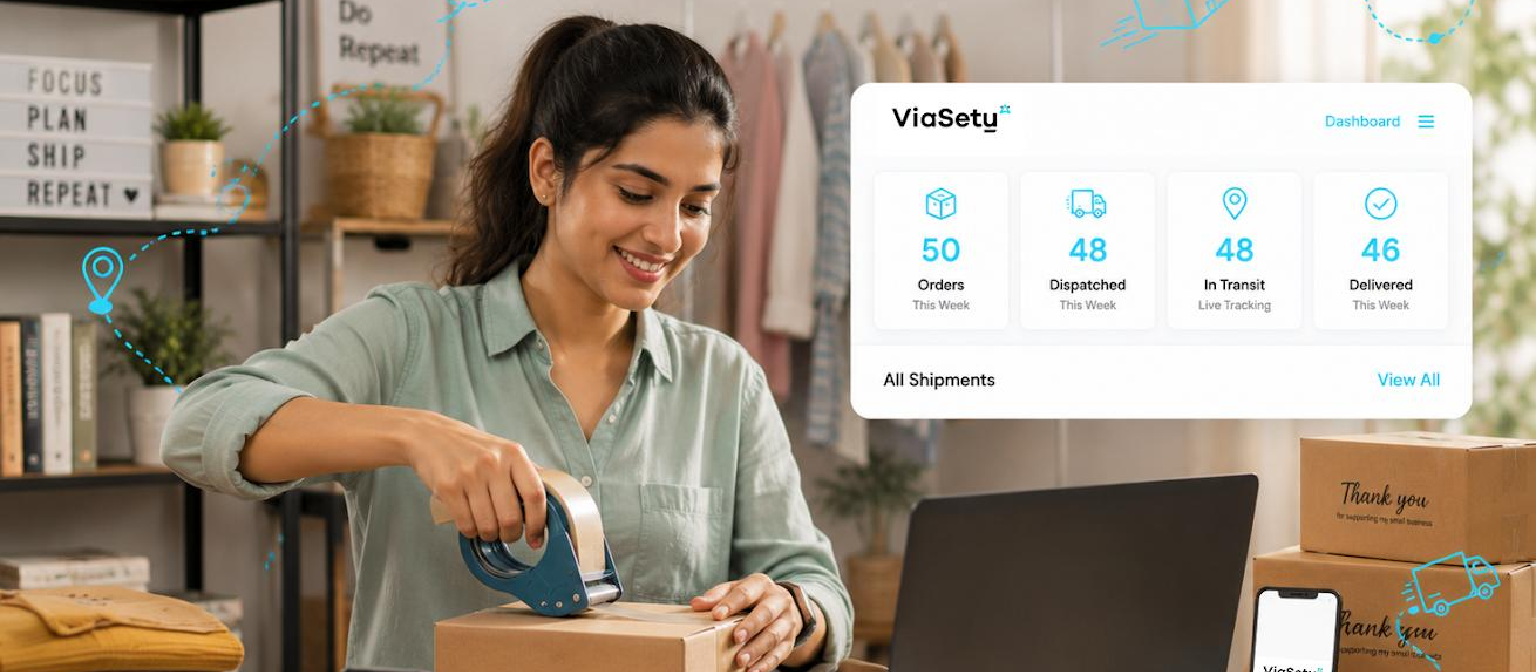
A professional online store should be prepared for customer traffic, search visibility and day-to-day support. These requirements should be considered before launch rather than postponed until problems appear.
Use HTTPS through a valid SSL certificate and keep your platform, themes and plugins updated. Restrict administrator access, use strong passwords and maintain regular backups. For payment processing, use supported gateway integrations rather than storing sensitive payment information yourself.
Search engine optimisation helps search engines understand your store and its products. Create descriptive page titles, useful product descriptions, logical category URLs and relevant internal links. Optimise product images and avoid duplicate or thin content across similar products.
Customer support is equally important. Customers should be able to ask questions about products, payments, delivery and returns. Provide clear contact information and define how enquiries will be handled.
Before launch, check these essentials:
- Website security: Enable HTTPS, maintain updates and arrange regular backups.
- Technical SEO: Review page titles, meta descriptions, URLs, indexing settings and sitemap availability.
- Performance: Optimise images, reduce unnecessary scripts and test important pages on mobile devices.
- Analytics: Set up suitable analytics and conversion measurement tools with appropriate privacy practices.
- Customer support: Provide working contact details and a clear process for handling enquiries and complaints.
A well-prepared store gives customers more confidence and provides the business with a better foundation for growth.
10. Test Your Store and Launch It Properly
Before making your website public, test the complete shopping journey. A store can look finished but still contain problems in payment processing, product variations, shipping calculations or order notifications.
Start by browsing the website on different devices and screen sizes. Check that menus, product images, search, filters and buttons work correctly.
Place test orders using the available testing process for your platform and payment provider. Verify that the correct order details appear in the administration dashboard and that customers receive the expected confirmation messages.
Review shipping charges, taxes, discount codes, stock updates and refund procedures. Check important links, policy pages and contact forms as well.
Prepare a launch plan that includes website backups, administrator access, analytics and a method for reporting technical issues. After launch, monitor orders, customer feedback and website performance regularly.
A successful launch is not the end of development. Your store should continue improving as you learn which products customers prefer, where visitors leave the buying process and which marketing channels generate valuable enquiries.
Conclusion
Starting an online store in India during 2026–27 requires careful planning across website development, product management, payment integration, shipping, GST and customer experience.
The right e-commerce platform provides the technical foundation, while clear product information, secure payments and reliable fulfilment help create a convenient shopping experience.
Before investing in development, define your business model, prepare your product catalogue and identify the features your store genuinely needs. Also seek professional advice for GST and other legal requirements instead of relying on general online guidance.
A professionally developed Shopify or WooCommerce website can help your business establish a stronger digital presence and build a scalable foundation for online sales. With the right planning and ongoing improvements, your online store can become an important channel for reaching and serving customers across India.