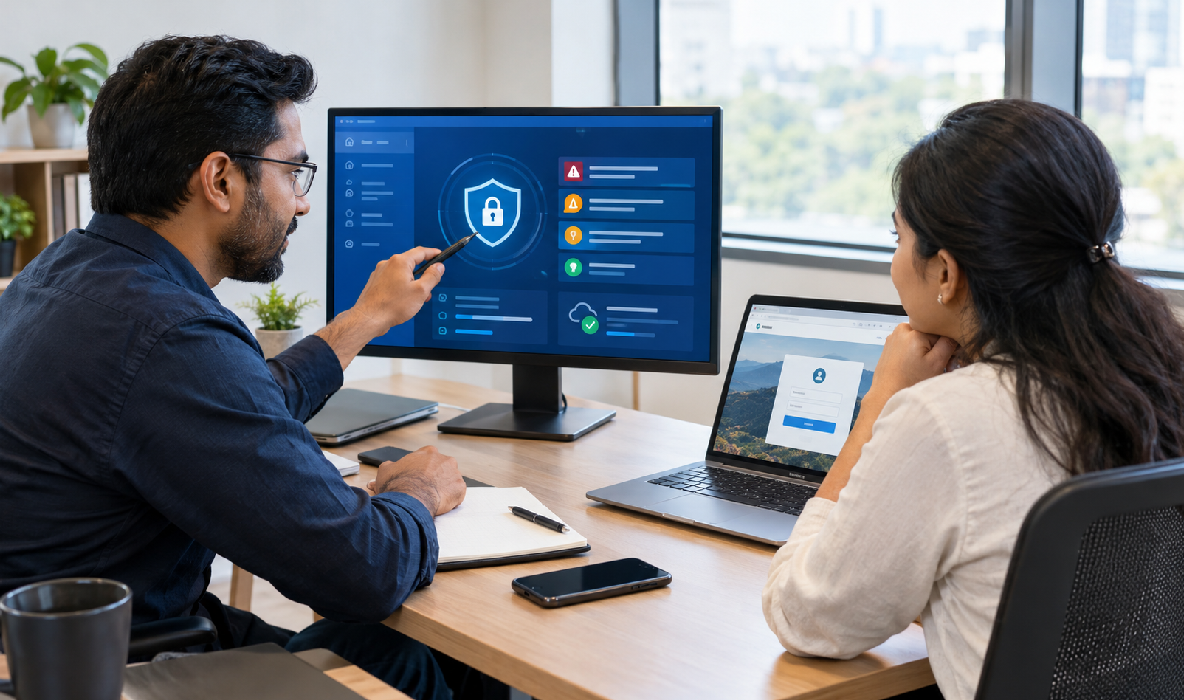
Introduction: Why Website Security Matters for Small Businesses
Website Security for Small Businesses is essential for protecting business information, maintaining customer trust and keeping a website available to visitors. A website may be used to generate enquiries, sell products, accept appointment requests or share important company information. If it becomes compromised, the impact can extend beyond technical problems to lost opportunities, damaged reputation and unexpected recovery expenses.
Small businesses sometimes assume that cybercriminals only target large companies. In reality, websites of any size can be exposed to automated attacks, weak passwords, outdated software, insecure plugins and misconfigured hosting environments. Attackers may look for vulnerable websites that can be used to distribute malicious content, send spam or access information without permission.
Security does not require every small business to build a complex system from scratch. It begins with practical measures such as using strong authentication, keeping software updated, limiting administrator access, maintaining reliable backups and monitoring unusual activity.
The right measures depend on how the website is built and what information it handles. A simple informational website may have different requirements from an e-commerce store or a website that collects customer details. However, every business should understand its responsibilities and establish a process for responding to problems.
Understand the Common Security Threats Facing Business Websites
The first step toward better security is understanding the problems that can affect a website. Threats vary according to the website platform, hosting configuration, installed software and the information the website handles.
Automated tools can scan websites for known vulnerabilities and attempt to exploit outdated components. Attackers may also try stolen passwords, abuse insecure forms or take advantage of incorrect access permissions. A website does not need to be famous to attract this type of activity.
Common website security risks include:
- Weak passwords: Easily guessed or reused passwords can make administrator accounts vulnerable.
- Outdated software: Unpatched content management systems, themes and plugins may contain known security weaknesses.
- Phishing attacks: Fake emails or login pages may trick staff into revealing credentials.
- Malware infections: Malicious code can affect website files, redirect visitors or support unauthorized activity.
- Brute-force attempts: Automated login attempts may target accounts with weak authentication.
- Insecure plugins and integrations: Poorly maintained or vulnerable third-party components can introduce risks.
Not every security alert means a website has been compromised, and not every website needs the same level of protection. The important step is to identify which risks are relevant to your setup and address them systematically.
Use Strong Passwords and Multi-Factor Authentication
Account security is one of the most important parts of protecting a business website. A compromised administrator account may allow someone to change website content, install unauthorized software, access customer information or create additional accounts.
Avoid simple passwords based on business names, birthdays, phone numbers or common phrases. Do not reuse the same password across your website, email account, hosting provider and other services. If one account is compromised, reused credentials can expose other systems.
A reputable password manager can help staff create and store unique passwords without relying on memory. Access should be granted only to the people who need it, and former employees or contractors should lose access when their responsibilities end.
Multi-factor authentication, or MFA, adds another verification step beyond the password. Depending on the platform, this may involve an authenticator application, a security key or another supported method. MFA is especially important for administrator accounts, hosting dashboards, domain registrars and business email accounts.

Keep WordPress, Themes, Plugins and Website Software Updated
Software updates often include security fixes, compatibility improvements and bug corrections. Leaving a website’s software outdated for long periods can expose it to vulnerabilities that have already been identified and addressed by the developers.
For WordPress websites, review updates for the WordPress core, active theme, plugins and supporting server software. Remove components that are no longer needed rather than leaving unused plugins or themes installed indefinitely.
Follow these software maintenance practices:
- Check updates regularly: Establish a consistent schedule for reviewing available updates.
- Use trusted sources: Obtain themes, plugins and software from reputable developers or official marketplaces.
- Remove unused components: Deactivate and delete unnecessary themes and plugins when appropriate.
- Review compatibility: Check whether critical extensions support the current software version.
- Back up first: Create a usable backup before major updates or structural changes.
- Test important functions: Verify forms, checkout, navigation and integrations after updating.
- Replace abandoned software: Find maintained alternatives when an essential component is no longer supported.
Install an SSL Certificate and Use HTTPS Correctly
HTTPS protects information exchanged between a visitor’s browser and a website by using encryption through TLS. This is particularly important when visitors submit enquiry forms, sign in to accounts or provide other information through a website.
A website using HTTPS typically displays a secure connection indicator in the browser. However, HTTPS should not be treated as proof that the business itself is trustworthy or that the entire website is free from vulnerabilities. It protects data in transit but does not replace account security, software maintenance or secure server configuration.
Most modern hosting providers offer SSL/TLS certificate options, and many provide automated certificate installation and renewal. Check your hosting dashboard or consult your provider if you are unsure whether the certificate is active.
After enabling HTTPS, confirm that the entire website loads securely. Mixed-content problems can occur when a secure page attempts to load images, scripts or other resources over an insecure connection. Review internal links, embedded content and website settings to correct these issues.
Create Reliable Website Backups and Test Recovery
Backups are essential because security incidents, accidental deletions, failed updates and hosting problems can damage website files or databases. A recent, usable backup can make recovery easier and reduce downtime.
A complete backup plan should consider the website’s files, database, uploaded media, configuration and any other components required to restore the site. The exact requirements depend on the platform. For example, a WordPress website generally needs both its files and database, while a hosted platform may offer different backup and export options.
Do not assume that a backup exists simply because a hosting dashboard displays a backup feature. Understand what is included, how often backups run, how long they are retained and how restoration works.
Store backups securely and, where practical, maintain a copy separate from the production hosting environment. If an attacker gains access to the website or hosting account, backups stored only in the same environment may also be at risk.
Protect Your Website with Security Monitoring and Malware Scanning
Security monitoring helps identify unusual activity that may indicate a problem. Depending on the website and hosting setup, monitoring may include login alerts, file integrity checks, malware scanning, server logs, uptime monitoring and notifications about suspicious changes.
Small businesses should decide which events require attention and who will receive alerts. An alert that is never reviewed offers limited practical protection. Assign responsibility for investigating important warnings and escalating serious incidents.
For WordPress websites, reputable security tools may provide features such as login protection, malware scanning, file change detection and firewall rules. Select tools based on the website’s requirements and compatibility rather than installing multiple overlapping plugins without a clear plan.
Hosting providers may offer additional security monitoring at the server level. Ask what is included and what remains your responsibility. Some managed hosting plans provide useful controls, but coverage varies between providers and plans.

Secure Website Forms, Customer Data and Third-Party Integrations
Business websites often collect personal information through contact forms, booking requests, newsletter subscriptions, customer accounts or online purchases. These features require careful handling because a website can expose information if forms, storage or connected services are configured insecurely.
Start by collecting only the information needed for a legitimate business purpose. A basic enquiry form usually does not need highly sensitive personal details. Reducing unnecessary collection also reduces the amount of information that must be protected.
Review these data protection measures:
- Limit data collection: Request only information that is necessary for the intended purpose.
- Validate submissions: Apply suitable server-side validation and input handling.
- Control form spam: Use appropriate anti-spam protections and rate limiting.
- Protect access: Restrict who can view submitted enquiries and customer records.
- Review integrations: Remove unused connections and check their permissions.
- Use secure payment providers: Avoid storing payment-card data yourself unless you have the necessary compliant infrastructure.
- Check retention practices: Do not retain customer information indefinitely without a valid reason.
- Explain data handling: Provide an appropriate privacy notice and follow applicable legal requirements.
For websites serving customers in India, review relevant privacy and data-protection obligations based on the type of information collected and how it is processed. Seek qualified advice where legal interpretation is needed.
Choose Secure Hosting and Limit Administrative Access
Hosting plays an important role in website security because it provides the environment where website files and databases operate. The level of protection available depends on the provider, the hosting plan and how the environment is configured.
When choosing hosting, review its security features, backup options, software support, access controls, monitoring and recovery assistance. A low-cost plan is not automatically unsafe, and an expensive plan is not automatically secure. Evaluate the actual features and responsibilities included.
For WordPress websites, managed WordPress hosting may simplify certain maintenance tasks, while other hosting environments may offer more control for technically capable teams. The right choice depends on the website’s requirements, budget and maintenance capabilities.
Administrative access should also be limited. Only people who need to manage the website should receive elevated permissions. Use separate accounts where possible, remove inactive accounts and avoid sharing a single administrator login among multiple people.
Prepare a Website Security Incident Response Plan
Even a well-maintained website can experience a security incident. Preparing in advance helps a business respond more calmly and systematically if a website is compromised, becomes unavailable or displays suspicious activity.
An incident response plan does not need to be complicated. It should identify who is responsible, which service providers to contact, how backups can be accessed and what steps are needed to protect affected accounts.
Include these actions in your response plan:
- Identify the incident: Record what was observed, when it started and which systems may be affected.
- Contact the right people: Notify the responsible administrator, hosting provider or qualified security professional.
- Contain the problem: Take appropriate steps to prevent further unauthorized activity.
- Secure affected accounts: Change compromised credentials from a trusted device and revoke suspicious sessions or tokens.
- Preserve evidence: Retain relevant logs, alerts and records where possible.
- Remove the cause: Identify and address the vulnerability or unauthorized access path.
- Restore safely: Use a verified clean backup or rebuild affected components as appropriate.
- Verify the recovery: Test important website functions and check for signs of continuing compromise.
Conclusion
Website security is an ongoing responsibility for every small business with an online presence. Strong passwords, multi-factor authentication, software updates, correctly configured HTTPS, reliable backups, monitoring and controlled access can help reduce common risks.
A secure website also requires attention to customer data, forms, integrations, hosting and incident recovery. No single tool can eliminate every threat, so businesses should select protections that match their platform, the information they handle and the consequences of downtime or unauthorized access.
Use this guide to review your current website and create a practical maintenance schedule. Test backups, check account permissions, update supported software and make sure someone is responsible for reviewing important alerts. If an incident occurs, investigate the cause and verify the recovery rather than assuming that restoring the visible pages is enough.
Website Security for Small Businesses is best approached as a continuous process rather than a one-time installation. With consistent maintenance and clear responsibilities, businesses can improve website reliability, protect customer trust and be better prepared to respond to security problems.