
Introduction: Why Your Business Website Is Not Generating Leads
A business website should do more than display your services, company information, and contact details. It should help potential customers understand what you offer, build confidence in your business, and take the next step towards working with you. If your business website is not generating leads, the problem may involve your website design, content, search visibility, loading speed, calls to action, or enquiry process.
Many businesses invest in website development but struggle to turn visitors into enquiries. People may visit the homepage, browse a service page, and leave without calling, filling out a form, or requesting a quotation. This does not automatically mean that the website needs a complete redesign. Sometimes, a few targeted improvements can make the customer journey clearer and more effective.
For businesses in Mumbai, a website can help attract local customers, showcase expertise, and generate enquiries beyond referrals. However, results depend on reaching the right audience and giving visitors a convincing reason to get in touch.
In this guide, we explain the common reasons a business website fails to generate leads and the practical steps you can take to improve its performance.
Your Website Does Not Clearly Explain What You Offer
One of the most common reasons a business website is not generating leads is that visitors cannot quickly understand what the business does. If the homepage uses vague headlines, generic statements, or complicated language, potential customers may leave before exploring the services.
Your main headline should explain the core service or product and communicate who it is for. For example, instead of using a headline such as “Welcome to Our Digital World,” a website development company could use “Professional Website Development for Growing Businesses in Mumbai.” The second example immediately communicates the service and target location.
Ways to Make Your Website Message Clearer
- Write a specific headline: Explain your main service and the audience you serve instead of relying on vague promotional phrases.
- Describe the customer benefit: Show how your service helps solve a real problem or meet a business need.
- Keep the introduction concise: Use short paragraphs that visitors can understand quickly.
- Show your main services: Make it easy for visitors to find the relevant service page without searching through unnecessary menus.
- Add a clear next step: Include a visible button such as “Request a Quote” or “Discuss Your Project.”
- Use customer-friendly language: Explain technical services in simple terms that your intended audience understands.
Review the first screen visitors see when opening your website. It should answer three basic questions: What do you offer? Who do you help? What should the visitor do next? A clear headline, short supporting paragraph, and visible call-to-action button can make the page easier to understand.
Your Website Design Does Not Build Trust
Visitors are less likely to enquire if a website looks outdated, inconsistent, difficult to navigate, or incomplete. Design affects the first impression customers form about a business, particularly when they have not interacted with the company before.
Website Elements That Help Build Credibility
- Consistent visual design: Use a coordinated colour palette, typography, spacing, and button styles throughout the website.
- Accurate business information: Display current contact details and relevant company information.
- Genuine portfolio examples: Show real projects that demonstrate your skills and services.
- Authentic customer testimonials: Use feedback from real customers only, with appropriate permission.
- Secure browsing: Configure HTTPS correctly and keep the website's software maintained.
- Transparent service information: Explain what you offer, how your process works, and how visitors can contact you.
Avoid making unsupported claims about awards, customer numbers, experience, or results. Credibility grows when your website gives visitors useful information they can verify.

Your Website Is Attracting the Wrong Visitors
Website traffic does not always translate into enquiries. Your website may receive visitors who are researching general information, looking for a different service, or located outside the areas you serve. When the audience does not match your ideal customer, even a well-designed website may generate few qualified leads.
Start by reviewing the search queries, landing pages, locations, and referral sources bringing visitors to your website. If you offer website development in Mumbai but most visitors arrive through unrelated search terms, your content and search strategy may need adjustment.
How to Attract More Relevant Website Visitors
- Define your ideal customer: Identify the types of people or businesses that are most likely to need your services.
- Target relevant search terms: Focus on queries that match your actual services and customer needs.
- Create dedicated service pages: Give each important service a clear page with useful, specific information.
- Match advertisements to landing pages: Ensure that the page delivers what your advertisement promises.
- Use accurate location targeting: Mention the areas you genuinely serve rather than adding unrelated locations.
- Review traffic quality: Evaluate whether visitors are taking meaningful actions, not just whether traffic numbers are increasing.
For example, someone clicking an advertisement for ecommerce website development should arrive on a page about ecommerce solutions rather than a general homepage with no clear next step.
Your Website Is Not Optimised for Search Engines
If potential customers cannot find your business through relevant search queries, your website may struggle to generate organic leads. Search engine optimisation helps search engines understand your pages and helps users discover information related to their needs.
Start by checking whether each important service has a dedicated, useful page. A website development company might need separate pages for WordPress development, ecommerce websites, custom website development, and website maintenance if these are genuine services it provides.
Each page should have a descriptive title, a clear main heading, helpful content, relevant internal links, and a readable URL. Avoid repeating the same keyword unnaturally or copying nearly identical content across multiple pages. Focus on answering the questions customers are likely to ask before making a decision.
Your Website Loads Too Slowly
Slow loading can frustrate visitors before they even see your services. People using mobile connections may abandon a page that takes too long to display, especially when they are trying to find a phone number, compare services, or submit an enquiry.
Practical Ways to Improve Website Speed
- Compress large images: Reduce file sizes while maintaining acceptable visual quality.
- Use modern image formats: Consider WebP or AVIF where supported by your website setup.
- Enable suitable caching: Configure browser and page caching where appropriate.
- Reduce unnecessary scripts: Remove features and tracking scripts that are no longer needed.
- Review plugins and themes: Disable or replace components that cause performance problems.
- Check hosting performance: Confirm that your hosting plan and server configuration suit the website.
- Test mobile performance: Evaluate important pages on mobile connections as well as desktop.
Your Calls to Action Are Weak or Difficult to Find
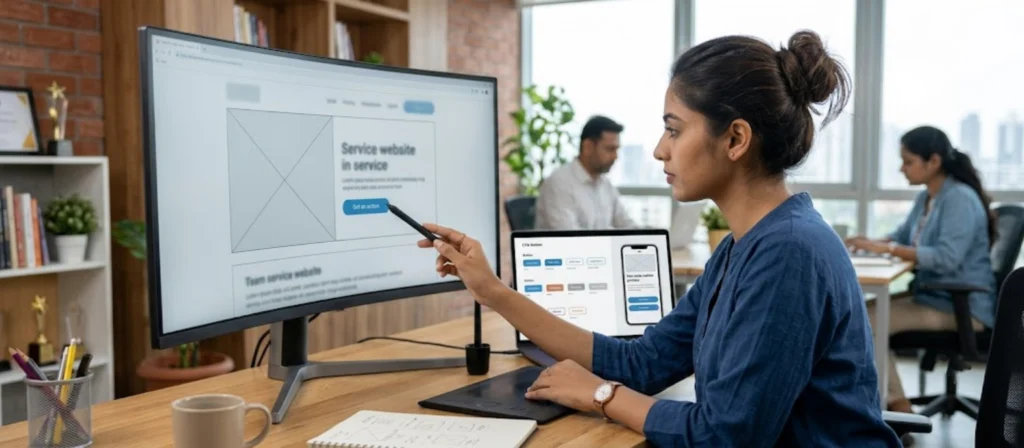
A visitor may be interested in your services but still leave if the next step is unclear. Calls to action, often called CTAs, guide visitors towards actions such as requesting a quotation, booking a consultation, calling the business, or submitting an enquiry.
Buttons should use clear, action-oriented language. Phrases such as “Request a Quote,” “Discuss Your Project,” “Book a Consultation,” or “Contact Our Team” tell users what will happen when they click. Generic labels such as “Click Here” may provide less context.
Place calls to action where they naturally fit the visitor’s journey. A service page might include one near the introduction, another after explaining the benefits, and a final CTA at the end. However, avoid filling every section with competing buttons that distract visitors from the main action.
Your Contact Form Is Too Long or Difficult to Use
Contact forms are a critical part of many lead-generation websites. If a form asks for too much information, contains confusing labels, or fails to explain what happens after submission, visitors may abandon it.
Ask only for information that is necessary at the initial enquiry stage. For many businesses, a name, phone number or email address, and a short message may be sufficient. More complex services may require additional details, but each field should have a clear purpose.
Contact Form Improvements to Prioritise
- Reduce unnecessary fields: Ask for only the details needed to start a conversation.
- Use clear labels: Explain what visitors should enter in each field.
- Show useful validation: Identify missing or incorrectly formatted information clearly.
- Make the form mobile-friendly: Use readable text, suitable spacing, and comfortable input fields.
- Confirm successful submission: Display a clear message after the form is sent.
- Test enquiry delivery: Verify that submissions reach the intended email inbox or CRM.
- Explain the next step: Where appropriate, tell visitors how and when the team will respond.
Review your form regularly and test it after website updates. Small improvements can remove friction and help more interested visitors complete their enquiries.
Your Website Is Not Designed for Mobile Users
A large share of website visits may come from smartphones, so a website that works only on desktop can lose potential leads. Mobile visitors need to read content comfortably, navigate without frustration, and contact your business without unnecessary effort.
Check whether headings wrap properly, body text is readable, images fit the screen, and buttons are easy to tap. Menus should open and close reliably, while forms should not require excessive zooming or horizontal scrolling. Avoid pop-ups that cover the main content or are difficult to dismiss.
Mobile Website Problems to Check
- Small text: Increase readability where text is difficult to read without zooming.
- Overlapping sections: Fix content blocks, images, and buttons that collide at smaller screen sizes.
- Difficult navigation: Make menus and important links easy to find and use.
- Poorly sized buttons: Provide comfortable tap areas and sufficient spacing between controls.
- Horizontal scrolling: Find and correct elements that extend beyond the viewport.
- Intrusive pop-ups: Ensure that overlays do not block essential content or contact options.
- Broken mobile forms: Test input fields, validation messages, and submission on actual devices where possible.
Test common screen widths and real mobile devices where possible. Check page speed, clickable phone numbers, WhatsApp links, form submissions, and the visibility of primary calls to action.
Your Website Does Not Explain Why Customers Should Choose You
Visitors often compare several businesses before making contact. If your website lists services without explaining the value you provide, customers may not see a strong reason to choose you over another option.
Explain how your service addresses the customer’s problem. For a website development business, relevant benefits might include a mobile-friendly experience, clear service information, suitable integrations, easier content management, or support after launch. Only mention features and services that you genuinely provide.
Use examples to make your value more concrete. A portfolio can show completed work, while a project case study can explain the client’s initial challenge, the work completed, and the outcome where verified information is available. Genuine testimonials can provide additional reassurance, but do not invent reviews or make unsupported performance claims.
Your website should also clarify what working with your business involves. Explain the typical process, how enquiries are handled, what information you need from a client, and what the next step will be. Clear expectations can make visitors more comfortable about contacting you.
Conclusion: Turn Your Website into a Better Lead Generation Tool
If your business website is not generating leads, start by identifying where potential customers are getting stuck. They may not understand your offer, trust the website, find the right service page, or know how to contact you. Alternatively, the website may attract the wrong audience, load slowly, or contain a form that does not work correctly.
The most effective improvements are based on evidence. Test your enquiry process, review important pages on mobile devices, clarify your value proposition, strengthen relevant SEO content, and track meaningful conversions. Make changes in manageable stages and evaluate whether they improve both the number and quality of enquiries.
For businesses in Mumbai, a well-planned website can support local discovery and help turn relevant visitors into genuine business opportunities. Results depend on your market, offer, competition, traffic quality, and follow-up process, so no single change can guarantee leads.
Vipul Pore helps businesses plan and develop websites that present their services clearly and support customer enquiries. Whether you need improvements to an existing business website, a WordPress website, or an ecommerce solution, start with your business goals and build a website experience that makes it easier for the right customers to take the next step.