
Introduction: Why WordPress Website Development Matters for Mumbai Businesses
Mumbai is one of India’s most competitive business markets. From startups and consultants to manufacturers, retailers, professional service providers, restaurants, real estate companies and eCommerce brands, businesses need a strong digital presence to compete for customers.
For many of these businesses, WordPress website development in Mumbai offers a practical combination of flexibility, scalability, content management and cost efficiency.
WordPress is not simply a blogging platform anymore. It has evolved into a complete content management system that can support business websites, portfolios, news websites, membership platforms, WooCommerce stores, booking systems and highly customized digital experiences.
The biggest advantage for a business owner is control. Once a properly configured WordPress website is launched, businesses can manage pages, publish blog articles, upload images and make many content changes through the administration dashboard without depending on a developer for every small update.
However, simply installing WordPress does not automatically create a successful website.
The quality of the design, hosting, plugins, content structure, SEO setup, security configuration and performance optimization all influence the final result.
A professional WordPress website should therefore be planned around the business rather than simply around a theme.
For a Mumbai business, the goal should be to create a website that looks professional, works smoothly on mobile devices, communicates the brand clearly, generates enquiries and creates a strong foundation for long-term SEO.
WordPress also gives businesses considerable flexibility as they grow. A simple company website can later be expanded with additional service pages, blogs, landing pages, WooCommerce functionality, booking systems, lead-generation tools and third-party integrations.
That scalability is one of the reasons WordPress remains a practical option for many businesses.
1. What Is WordPress Website Development?
WordPress website development refers to the process of designing, building, configuring and optimizing a website using the WordPress content management system.
WordPress provides the underlying platform, while developers and designers customize the website according to the business’s requirements.
A professional WordPress project can involve much more than installing a theme.
- Website planning and information architecture
- UI/UX design
- WordPress installation and configuration
- Theme customization
- Custom page development
- Plugin configuration
- Custom functionality
- Contact forms
- SEO setup
- Security configuration
- Performance optimization
- Mobile responsiveness
- Analytics integration
- Search Console configuration
- Content upload
- Testing and launch
One important distinction is between a template-based WordPress website and a custom WordPress website.
A template-based website may use a ready-made theme with predefined layouts. This can reduce development time and initial costs.
A custom WordPress website is designed around the business’s branding, audience and objectives. Developers can customize layouts, functionality and user journeys to create a more distinctive experience.
Neither approach is automatically right or wrong.
The correct option depends on the company’s budget, requirements, timeline and long-term plans.
For example, a small local business may not need an expensive custom development project. A professional theme combined with thoughtful customization could be sufficient.
A growing company with strong branding requirements, complex services or specialized integrations may benefit from custom WordPress development.
2. Why Choose WordPress for a Business Website in Mumbai?
Choosing the right platform is an important decision because the platform influences how easily a website can be managed, expanded and optimized.
WordPress is attractive to many businesses because it offers a broad ecosystem and allows considerable control over website content.
1. Easy Content Management
Business owners can update pages, publish blogs, add images and manage content from the WordPress dashboard.
2. Flexible Design
WordPress supports a wide range of themes, builders and custom development approaches. A professionally designed WordPress website does not have to look like a generic template.
3. SEO-Friendly Foundation
WordPress provides a strong foundation for content publishing and technical SEO. SEO plugins can also provide controls for titles, descriptions, sitemaps, canonical settings and other optimization tasks.
4. Large Plugin Ecosystem
Businesses can add functionality through plugins for forms, SEO, security, analytics, WooCommerce, booking, memberships and other requirements.
5. Scalability
A business can begin with a relatively simple website and expand it over time.
6. Ownership and Flexibility
Businesses can maintain control over their website content and hosting environment rather than being locked into one proprietary website builder.
WordPress’s official documentation also provides dedicated guidance around publishing, customization, maintenance and security, which reflects the breadth of the platform’s ecosystem.
The important point is that these benefits depend on proper implementation.
Too many unnecessary plugins, poor hosting, unoptimized images or outdated software can negatively affect a website.
Therefore, WordPress should be treated as a platform that needs professional planning rather than a shortcut to building a website.
3. What Does WordPress Website Development Cost in Mumbai?
One of the most common questions businesses ask is: How much does WordPress website development cost in Mumbai?
There is no single fixed price because WordPress projects can range from simple informational websites to highly customized business platforms.
Current 2026 market guides place basic professional WordPress websites in Mumbai broadly in the tens of thousands of rupees, while custom business websites, WooCommerce stores and advanced integrations can move into the ₹1 lakh-plus range. For example, recent Mumbai pricing guides cite approximately ₹30,000–₹60,000 for many 5–10 page business sites and significantly higher ranges for custom designs and eCommerce projects.
- Number of pages
- Custom design requirements
- Theme or page builder
- Premium plugin licenses
- Custom functionality
- WooCommerce requirements
- Payment gateway integration
- Third-party APIs
- Content creation
- SEO implementation
- Speed optimization
- Security configuration
- Maintenance and support
A basic business website may have five to ten pages, while a larger corporate website may require dozens of pages and specialized functionality.
The cost also depends on whether the website is being developed by a freelancer, small agency or larger development company.
When comparing quotations, businesses should avoid looking only at the final amount.
Instead, compare exactly what is included.
A lower quotation may exclude content, SEO, mobile optimization, premium plugins, revisions, hosting setup or post-launch support.
A higher quotation may include custom UI/UX, technical SEO, advanced functionality and ongoing support.
The best quote is therefore not necessarily the cheapest quote. It is the one that provides the right scope for the business.
4. WordPress Website Features Every Business Should Consider
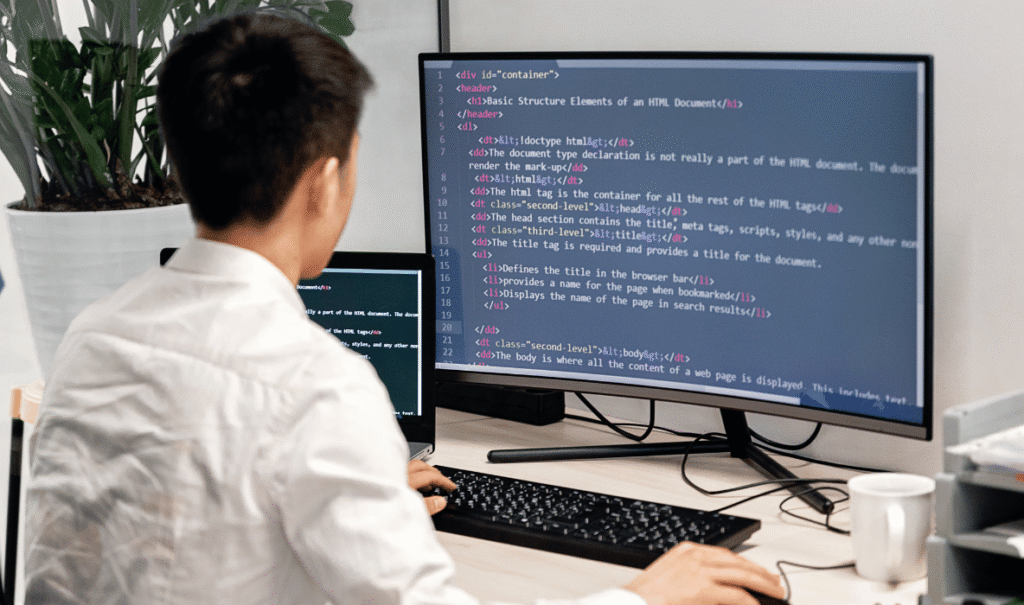
A successful business website needs to do more than display company information.
It should make it easy for visitors to understand the business, explore services and take action.
The exact features depend on the business model, but several elements are valuable across industries.
Responsive Design
The website should adapt properly to smartphones, tablets, laptops and desktop screens.
Clear Navigation
Visitors should be able to find important information without confusion.
Contact Forms
Forms should make it easy for potential customers to submit enquiries.
Click-to-Call and WhatsApp
For many Mumbai businesses, direct communication can be an important lead-generation channel.
Service Pages
Each important service should ideally have a dedicated page rather than putting every service into one long section.
Blog
A blog provides an opportunity to publish educational content and target relevant search queries.
Testimonials and Reviews
Social proof can help establish credibility.
Analytics
Google Analytics or another analytics solution can help businesses understand visitor behaviour and conversions.
Security and Backup
Regular backups and appropriate security measures help protect the website.
SEO Controls
The website should allow proper management of titles, descriptions, URLs, headings, image alt text and other SEO elements.
The right features should always serve a business purpose.
Adding dozens of plugins simply because they are available can create unnecessary complexity.
A professional WordPress developer should recommend features based on what the business actually needs.
5. Custom WordPress Website vs Ready-Made Theme
One of the most important decisions during WordPress development is choosing between a ready-made theme and a more customized design.
A ready-made theme can significantly reduce development time.
However, businesses often need more flexibility than a standard template provides.
- The budget is limited
- The website has straightforward requirements
- The business needs a quick launch
- The design does not need extensive customization
- Standard features are sufficient
- Branding is a major priority
- The business needs unique layouts
- The website requires specialized functionality
- There are complex integrations
- The customer journey needs custom planning
- The company expects long-term expansion
A custom WordPress website does not necessarily mean every line of code is written from scratch.
It can involve selecting a suitable development framework and customizing the design, templates and functionality according to project requirements.
Recent Mumbai WordPress development guides similarly highlight custom design, integrations, performance and scalability as major factors separating a more advanced WordPress build from a basic template implementation.
The decision should therefore be based on the business’s needs rather than the idea that custom automatically means better.
For some businesses, customization provides meaningful value. For others, it may simply increase the budget without improving business results.
6. WordPress SEO: How to Build a Website That Can Rank
Building a website and getting traffic to it are two different objectives.
A business can have an attractive website but still receive very little organic traffic if its content and technical structure are not optimized.
This is why WordPress SEO in Mumbai should be considered during development rather than treated as an afterthought.
1. Keyword Research
Identify what potential customers are actually searching for.
2. SEO-Friendly URLs
Create short and descriptive URLs that communicate page topics.
3. Page Titles and Meta Descriptions
Every important page should have unique and relevant metadata.
4. Heading Structure
Use logical H1, H2 and H3 headings to organize content.
5. Internal Linking
Connect related service pages, blogs and other relevant content.
6. Image Optimization
Compress images and use descriptive filenames and alt text where appropriate.
7. Mobile Experience
The website should work smoothly on mobile devices.
8. Page Speed
Images, scripts, plugins, hosting and page structure should be optimized to support fast loading.
9. XML Sitemap
The website should provide search engines with a clear map of important URLs.
10. Structured Data
Relevant schema markup can help search engines understand certain types of content.
WordPress itself does not guarantee rankings. Search performance depends on content quality, technical implementation, authority, relevance and many other factors.
A well-built WordPress website simply provides a flexible foundation on which an effective SEO strategy can be implemented.
7. Website Speed and Performance Optimization
Website speed is an important part of user experience.
A visitor who encounters a slow-loading website may leave before reading the content or completing an enquiry.
WordPress performance depends on several factors, including hosting, theme architecture, plugins, images, scripts, caching and database configuration.
- Use reliable hosting
- Compress and properly size images
- Enable caching
- Minimize unnecessary scripts
- Reduce unused plugins
- Optimize database performance
- Use a content delivery network when appropriate
- Optimize fonts and third-party resources
- Keep WordPress and plugins updated
- Monitor Core Web Vitals
One current Mumbai WordPress development guide specifically emphasizes hosting, plugin discipline and image optimization as important performance considerations.
A common mistake is assuming that WordPress itself is slow.
The platform can perform very well when it is properly configured.
Problems often come from poorly coded themes, excessive plugins, low-quality hosting, unoptimized images or unnecessary scripts.
Performance should therefore be considered during development rather than only after the website becomes slow.
For a Mumbai business targeting local customers, a fast and responsive website can improve the experience for users accessing the website through smartphones and varying network conditions.
8. WordPress Security and Maintenance
Website security is an ongoing responsibility.
WordPress websites consist of the core platform, themes, plugins, hosting environment and user accounts. Each component needs appropriate maintenance.
WordPress’s official documentation provides dedicated guidance for keeping WordPress updated, maintained and secure.
Regular Updates
Keep WordPress core, themes and plugins updated.
Strong Passwords
Use strong passwords and avoid sharing administrator credentials unnecessarily.
User Permissions
Give team members only the access they actually require.
Backups
Maintain reliable backups that can be restored if something goes wrong.
Security Monitoring
Use appropriate security measures to detect suspicious activity.
SSL
Ensure the website uses HTTPS.
Staging Environment
For larger websites, testing major changes in a staging environment before applying them to the live site can reduce the risk of downtime.
Plugin Management
Remove unused plugins rather than leaving unnecessary software installed.
Regular Testing
Check forms, links, checkout processes and important functionality periodically.
Maintenance is especially important for business websites because downtime or broken forms can result in lost leads and revenue.
A website development company should ideally explain what post-launch maintenance is included and what is charged separately.
9. WordPress for eCommerce: WooCommerce Development
WordPress can also be used to build eCommerce websites through WooCommerce.
WooCommerce adds shopping functionality to WordPress and can support businesses selling physical products, digital products, subscriptions and other offerings.
An eCommerce WordPress website may require:
- Product catalogue
- Categories
- Product variations
- Search
- Filters
- Shopping cart
- Checkout
- Payment gateway
- Shipping
- Coupons
- Customer accounts
- Order management
- Inventory management
- Tax configuration
- Analytics
The complexity of these requirements directly influences development cost.
A small store with 20 products and one payment gateway is significantly simpler than a large eCommerce business with hundreds of products, multiple shipping methods, complex product variations and third-party integrations.
- You want control over your website
- You already use WordPress
- Content marketing is important
- You need customizable product pages
- You require flexible integrations
- You want to combine content and commerce
For Mumbai businesses selling products online, WooCommerce can therefore be a practical option when the website needs both content flexibility and eCommerce functionality.
10. How to Choose a WordPress Website Development Company in Mumbai
Choosing the right development partner can significantly influence the quality and long-term performance of your website.
Mumbai has a large number of freelancers, agencies and development companies offering WordPress services. Comparing them only by price can make the decision difficult.
Instead, evaluate the complete project.
Portfolio
Review previous WordPress websites and look for projects similar to your business.
Technical Skills
Confirm experience with WordPress, WooCommerce, custom development, APIs and other required technologies.
Design Capability
The developer should be able to create a website that reflects your brand rather than simply installing a generic theme.
SEO Understanding
Ask whether technical SEO and on-page SEO fundamentals are considered during development.
Performance
Check whether speed optimization and mobile responsiveness are part of the process.
Security
Ask about backups, updates and security configuration.
Communication
Clear communication helps prevent misunderstandings about pages, features and revisions.
Ownership
Ensure you retain appropriate access to your domain, hosting, WordPress administration and website assets.
Support
Understand what happens after launch.
Project Scope
Get a written proposal covering deliverables, timeline, revisions, integrations and payment terms.
A professional WordPress website development company should be able to explain technical decisions in simple business language.
You should understand what you are paying for.
11. Common WordPress Website Development Mistakes to Avoid
WordPress makes website development accessible, but that does not mean every implementation will be successful.
Many businesses encounter problems because the website was built without considering future maintenance, SEO, performance or ownership.
1. Choosing a Theme Only Because It Looks Attractive
A visually impressive demo does not guarantee good performance or flexibility.
2. Installing Too Many Plugins
Every plugin adds potential complexity. Use only what is necessary and maintain it properly.
3. Ignoring Mobile Design
A desktop website that does not work well on mobile can create a poor customer experience.
4. Using Low-Quality Hosting
Cheap hosting can become a bottleneck as traffic and functionality increase.
5. Ignoring SEO During Development
Fixing structural SEO problems after launch can require additional work.
6. Not Optimizing Images
Large images can slow down page loading.
7. Not Taking Backups
A website without reliable backups is vulnerable to data loss.
8. Giving Everyone Administrator Access
Excessive permissions can create security risks.
9. Not Planning Content
A website structure should be based on what customers need to know, not simply on how many pages can be created.
10. Not Defining Ownership
Businesses should know who controls the domain, hosting, website files and administrative accounts.
Avoiding these mistakes can make the website easier to maintain and more valuable over time.
12. Building a Future-Ready WordPress Website for Your Business
A business website should not only solve today’s requirements.
It should provide enough flexibility to support tomorrow’s growth.
A company might start with a basic website containing Home, About, Services and Contact pages. Over time, it may need a blog, additional service pages, lead-generation campaigns, case studies, WooCommerce, appointment booking, CRM integration or multilingual content.
This is why scalability should be considered from the beginning.
- Clean website architecture
- Mobile responsiveness
- SEO-friendly structure
- Fast performance
- Secure configuration
- Reliable hosting
- Easy content management
- Scalable design
- Proper analytics
- Regular backups
- Maintainable plugins
- Clear ownership
- Long-term support
The objective is not to build every possible feature on day one.
Instead, create a strong foundation and add functionality when it becomes valuable to the business.
For example, a small Mumbai consultancy may not need an advanced CRM integration when launching its first website. But the website should be structured so that integration can be added later without rebuilding everything.
This approach can reduce unnecessary initial spending while still protecting future growth.
WordPress is particularly useful in this context because its content management capabilities and ecosystem allow businesses to expand their websites over time.
The platform itself, however, is only one part of the equation.
The quality of the development, design, content, SEO, hosting and maintenance determines whether the final website becomes a useful business asset.
Conclusion
WordPress website development in Mumbai can be an effective solution for businesses looking to establish or strengthen their online presence.
Its combination of flexible content management, extensive functionality, SEO capabilities and customization options makes it suitable for a wide range of businesses.
From a small local service provider to an established corporate company or WooCommerce store, WordPress can be adapted to different requirements.
However, successful WordPress development requires more than selecting a theme and installing plugins.
If you are planning a new website, redesigning an existing website or moving from another platform, start by defining your audience, business objectives and required functionality.
Once those fundamentals are clear, choosing the right WordPress development approach becomes much easier.
A well-planned WordPress website is not simply a digital brochure. It can become a long-term platform for SEO, lead generation, content marketing, customer communication, eCommerce and business growth.