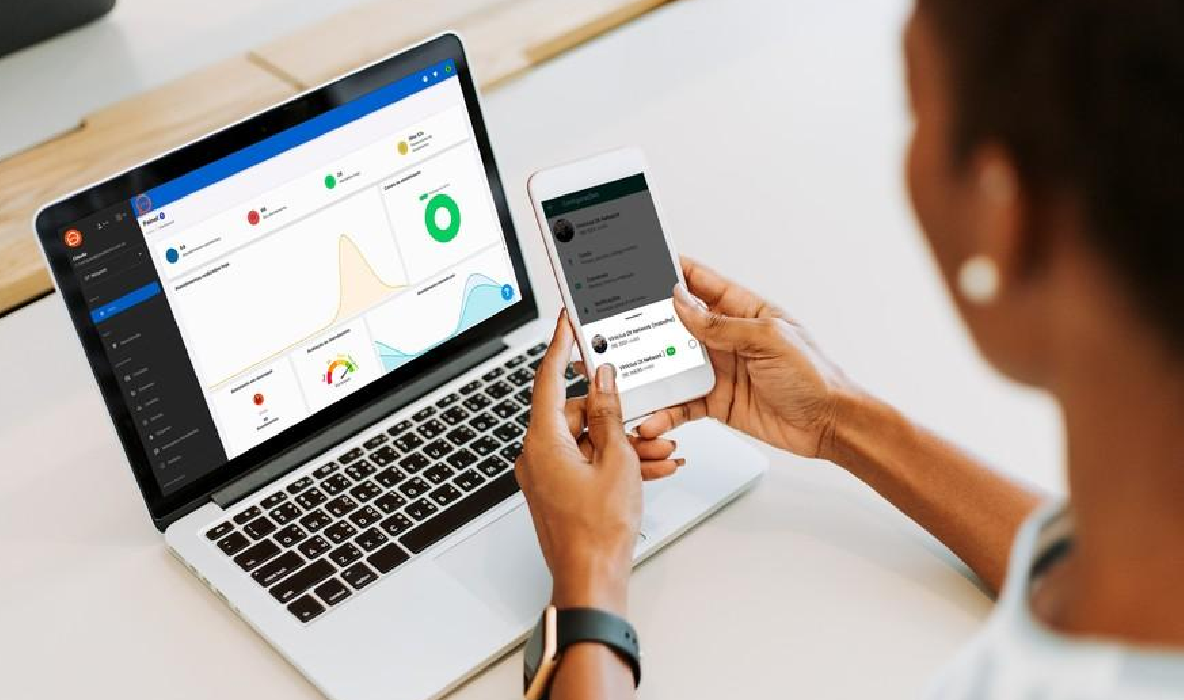
WhatsApp Business API Integration for Websites and E-commerce Stores
Customers today expect quick answers, convenient shopping experiences, and timely updates after placing an order. When a business takes too long to respond to an enquiry or provide delivery information, customers may lose interest and choose another brand. This is why businesses are increasingly connecting their websites and online stores with WhatsApp Business API.
WhatsApp Business API integration allows businesses to connect their websites, e-commerce platforms, and internal systems with WhatsApp Business Platform. It helps automate customer communication, share order notifications, manage enquiries, and provide a more convenient shopping experience. With the right integration, businesses can turn everyday customer conversations into organised communication and sales opportunities.
1. What Is WhatsApp Business API Integration?
WhatsApp Business API integration connects a business website or application to the WhatsApp Business Platform through APIs. Unlike a basic WhatsApp chat button, an API-based integration can communicate with a website’s backend, customer database, order management system, and other business tools.
For example, when a customer purchases a product from an online store, the website can trigger an automated WhatsApp message confirming the order. When the order is dispatched, another update can inform the customer about its delivery status. Businesses can also receive product enquiries, answer frequently asked questions, and route conversations to customer support representatives.
Meta currently refers to this service as the WhatsApp Business Platform. It is designed for businesses that require more structured communication, automation, and integration with their existing technology systems.
2. Why Businesses Should Integrate WhatsApp with Their Websites
A website is often the first point of contact between a business and a potential customer. However, visitors may have questions about products, pricing, services, delivery, or payment options before making a decision. Providing an easy communication channel can help remove uncertainty during the buying process.
WhatsApp integration makes it easier for customers to start conversations directly from a website. Businesses can also connect incoming enquiries with automated workflows, allowing customers to receive initial responses even when the sales team is unavailable. For growing businesses, this creates a more organised communication process without depending entirely on manual replies.
It can also support customer retention. When shoppers receive useful order confirmations, delivery notifications, and support responses, they have a clearer understanding of what is happening after their purchase. This improves communication throughout the customer journey and helps businesses build stronger relationships with their customers.
3. Essential Features of WhatsApp Business API Integration
A successful WhatsApp Business API integration should be planned around the business’s communication requirements. The following features can make website and e-commerce communication more efficient:
Important e-commerce returns management features include:
- Automated Welcome Messages: Send an initial response when customers contact the business through WhatsApp.
- Order Confirmation Notifications: Share order details after a successful purchase on an e-commerce website.
- Shipping and Delivery Updates: Keep customers informed about dispatch, shipment progress, and delivery status.
- Product Enquiry Management: Allow visitors to ask questions about product availability, specifications, and pricing.
- Automated Customer Support: Provide responses to common questions and direct complicated enquiries to human agents.
- Appointment and Booking Reminders: Send relevant reminders when customers book services or consultations.
- Marketing Message Templates: Communicate approved offers and product announcements to customers who have provided the required permission.
- CRM and Database Integration: Connect conversations with customer information and sales records for better enquiry management.
Businesses should select features according to their actual workflows instead of adding unnecessary automation. A focused integration is easier to manage, test, and improve over time.
4. How WhatsApp Integration Improves E-commerce Customer Experience
For an online store, communication does not end when a customer completes checkout. Customers may need information about payment confirmation, product availability, shipping, delivery, returns, or exchanges. WhatsApp Business API can connect these communication requirements with the store’s order management system.
For example, a customer purchases clothing from an online store. After checkout, the system can send an order confirmation through WhatsApp. Once the parcel is dispatched, the customer can receive a shipping update with relevant tracking information. If the customer later needs assistance, they can contact the support team through the same channel.
This approach is useful for fashion brands, electronics stores, beauty businesses, food brands, and other online retailers. It reduces the need for customers to repeatedly visit the website just to check basic order information.
The integration can also support abandoned-cart communication where suitable. However, promotional or recovery messages should be sent only when the required consent and approved template conditions are satisfied. The objective should be to provide useful assistance rather than overwhelm customers with repeated messages.
5. Practical WhatsApp Automation Use Cases for Online Stores

WhatsApp automation can support different stages of the e-commerce customer journey. Businesses can create workflows based on customer actions, order events, and support requirements.
A returns workflow can include the following activities:
- New Customer Enquiries: Automatically acknowledge product questions received from website visitors and guide them towards relevant information.
- Order and Payment Updates: Send appropriate notifications after an order is placed or a payment status changes.
- Abandoned Shopping Carts: Send eligible customers a reminder about products left in their cart, subject to messaging permissions and applicable template rules.
- Delivery Tracking: Share shipment updates and tracking links when an order moves through the fulfilment process.
- Return and Exchange Assistance: Direct customers to the correct return request or exchange process and provide relevant status updates.
- Repeat Purchase Communication: Share relevant product suggestions or promotional messages with customers who have agreed to receive them.
These workflows should be connected to reliable business data. For example, an order update should be triggered by the actual order status rather than a manually entered message. This helps prevent incorrect notifications and unnecessary customer confusion.
6. Integrating WhatsApp Business API with WordPress, WooCommerce and Shopify
The integration approach depends on the website platform, the business’s technical requirements, and the level of automation needed. WordPress websites can use suitable plugins, custom development, or middleware to connect website events with the WhatsApp Business Platform. For WooCommerce stores, order creation, payment confirmation, and fulfilment status can be used as triggers for relevant customer notifications.
Shopify businesses can explore compatible applications or custom API-based connections depending on their store setup. A properly planned integration should consider product information, customer details, order records, and notification workflows. The exact functionality depends on the platform’s available APIs, the selected integration method, and the permissions granted to connected services.
For businesses with more advanced requirements, custom backend development may provide greater flexibility. It can connect WhatsApp messaging with CRM software, inventory systems, customer databases, and internal dashboards. Choosing the right approach at the beginning helps prevent disconnected tools and unnecessary development expenses.
7. Technical Requirements for WhatsApp Business API Integration
WhatsApp integration requires more than adding a phone number to a website. The business needs a suitable technical setup that connects its website with the WhatsApp Business Platform and handles communication securely.
Important refund and exchange capabilities include:
- Meta Business Setup: Configure the required business account, WhatsApp Business Account, and business phone number according to Meta's onboarding requirements.
- API Access and Authentication: Set up the appropriate application access, permissions, phone number identifiers, and secure access tokens.
- Webhook Configuration: Create webhook endpoints to receive message events, delivery updates, and other relevant platform notifications.
- Backend Integration: Connect the website or e-commerce platform with the API through suitable server-side code or middleware.
- Message Template Management: Prepare and submit templates for approval when business-initiated messages require them.
- Database and Event Handling: Store relevant order and communication records while avoiding unnecessary collection of customer information.
Meta’s developer resources provide API documentation, webhook information, test numbers, and code samples for businesses and developers building on the platform. These resources can help developers test the integration before connecting it to a live website.
8. WhatsApp Business Messaging Policies, Customer Consent and Security
Businesses must understand WhatsApp’s messaging policies before launching an API integration. Having a customer’s mobile number does not automatically give a business permission to send promotional or other subsequent messages. Businesses must obtain the appropriate opt-in, clearly communicate the type of messages customers can expect, and respect requests to stop receiving communications.
Another important requirement is the 24-hour customer-service window. When a customer messages a business, the business can generally respond with free-form messages during this window. Outside the window, businesses must use approved message templates to initiate or continue eligible conversations. Templates must follow their approved purpose and applicable policies.
Security is equally important. API credentials should be stored securely, webhook endpoints should be protected, and customer information should only be accessed by authorised systems and team members. Websites should also provide appropriate privacy information and collect only the customer data required for the intended service.
Businesses should monitor Meta’s current policies and pricing because messaging requirements and rates can change. WhatsApp Business Platform pricing depends on factors such as message category and recipient market, so the expected communication volume should be considered during project planning.
9. Steps to Implement WhatsApp Business API on a Business Website

A structured implementation process makes the integration easier to maintain and reduces the chances of communication errors. The project should begin with business requirements rather than immediately adding automation.
Businesses should avoid:
- Understand Business Requirements: Identify whether the main objective is customer support, order notifications, lead generation, appointment reminders, or marketing communication.
- Choose the Integration Method: Evaluate direct Cloud API integration, an approved business messaging provider, or a compatible platform-based solution.
- Complete Account Configuration: Set up the required Meta business assets and register the appropriate WhatsApp business number.
- Connect the Website Backend: Configure the required API requests, authentication, webhooks, and business event triggers.
- Create and Test Message Templates: Prepare messages for the intended categories and complete the relevant approval process.
- Test the Customer Journey: Check enquiry handling, order notifications, delivery updates, error responses, and human-agent escalation before launch.
After implementation, businesses should monitor message delivery, webhook errors, customer responses, and integration performance. Testing should also include situations where an order is cancelled, a payment fails, or the customer changes their contact preferences.
10. Common Mistakes to Avoid During WhatsApp API Integration
One common mistake is treating WhatsApp Business API as just another bulk messaging tool. Sending irrelevant or unexpected messages can frustrate customers and create policy risks. Businesses should focus on timely, useful communication and maintain clear consent records.
Another issue is building automation without connecting it properly to website data. If an order notification is triggered incorrectly, customers may receive inaccurate information about payments or delivery. Integration testing should therefore cover real order scenarios and unexpected system responses.
Businesses should also avoid depending entirely on automated chatbots. Customers with complex questions need a clear way to contact a human representative. The system should provide a smooth escalation process rather than forcing customers to repeat their questions.
Finally, ignoring ongoing maintenance can create problems when APIs, website plugins, or platform requirements change. Regular monitoring, security reviews, template checks, and integration updates help maintain reliable communication over time.
Conclusion
WhatsApp Business API integration can help businesses connect their websites and e-commerce stores with a more organised customer communication system. From automated order confirmations and delivery notifications to product enquiries and support workflows, the platform offers several opportunities to improve the online shopping experience.
However, successful integration depends on selecting the right technology, connecting accurate website data, following messaging policies, and creating useful customer journeys. Businesses using WordPress, WooCommerce, Shopify, or custom-built websites should plan their integration according to their specific requirements.
At Vipul Pore & Co., we focus on building business-oriented websites, e-commerce platforms, and application integrations that support practical business goals. A well-planned WhatsApp Business API integration can make your website more connected, improve customer communication, and support long-term business growth.